.png)
 4 hours ago
2
4 hours ago
2
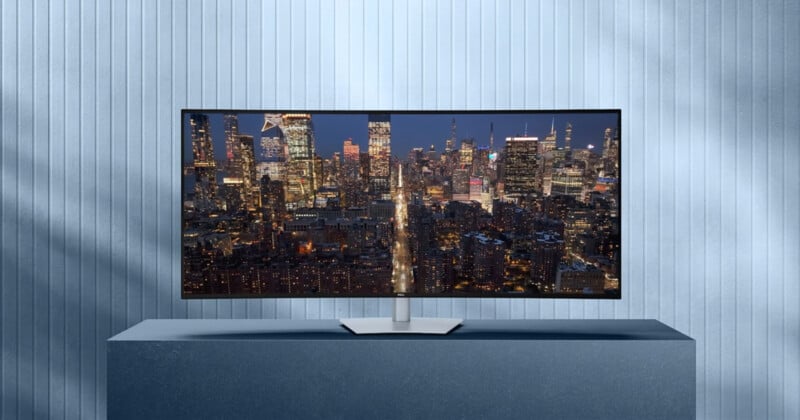
Dell has introduced the world’s first 52-inch curved 6K ultrawide monitor. Designed to rethink multi-window workspaces, it aims to replace complex multi-monitor setups with a single continuous display. The result is a screen built for dense, multi-system workflows rather than simple scale.
If your workday involves jumping between timelines, post-processing software, reference material, and emails, the feeling of running out of screen space is familiar. Multiple monitors can help, but they also introduce clutter, mismatched scaling, and a tangle of cables. Introduced at CES 2026, the Dell UltraSharp 52 Thunderbolt Hub Monitor is Dell’s attempt to rethink that setup, not simply by making the screen larger, but by changing how a single display behaves.
As reported by CineD, at 52 inches (132 centimeters) with a curved 21:9 aspect ratio and a 6K resolution of 6144 × 2560, the UltraSharp 52 is designed to feel less like one oversized panel and more like several independent displays sharing the same continuous surface. Combined with an integrated Thunderbolt 4 hub and multi-system support, Dell is positioning this monitor as the center of a modern, high-density workspace rather than just another peripheral.
“The Dell UltraSharp 52 Thunderbolt Hub Monitor is the world’s first 52-inch ultrawide curved 6K monitor with IPS Black panel technology. It’s also the first monitor to achieve the highest tier of TÜV Rheinland Low Blue Light certification, emitting up to 60% less blue light when compared to competition, helping to reduce eye fatigue during extended work sessions,” Dell says.
A Familiar Line, Taken Much Further
Dell’s UltraSharp line has long been where the company places its higher-end, professional-focused displays. After introducing a 40-inch (101 centimeters) 5K UltraSharp in 2024, the UltraSharp 52 pushes that philosophy significantly further, shifting emphasis from simply sharp resolution to sheer usable workspace.
The jump in size is paired with a panel designed to maintain uniformity across a much wider surface, addressing a common issue with large displays where brightness, contrast, or color can shift noticeably toward the edges. Rather than targeting immersion for entertainment, the UltraSharp 52 is clearly built around productivity, workflow density, and long-session comfort.
This is not a monitor meant to dominate a desk purely for visual impact. Instead, its size is meant to disappear into the workflow, replacing multi-monitor arrays with a single, coherent canvas that can adapt to complex professional needs.
How the Screen Behaves in Practice
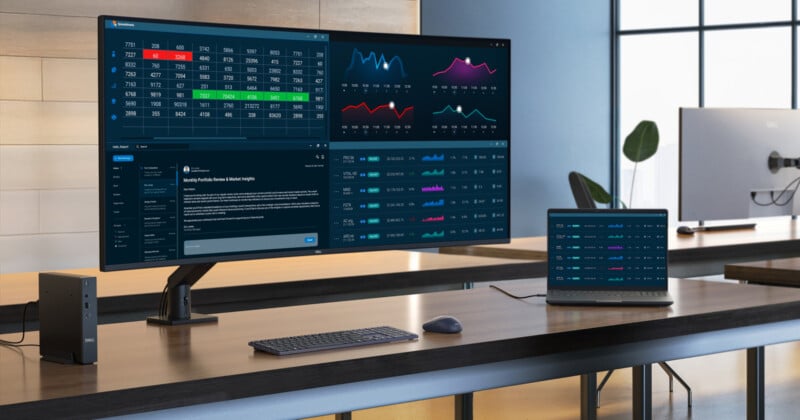
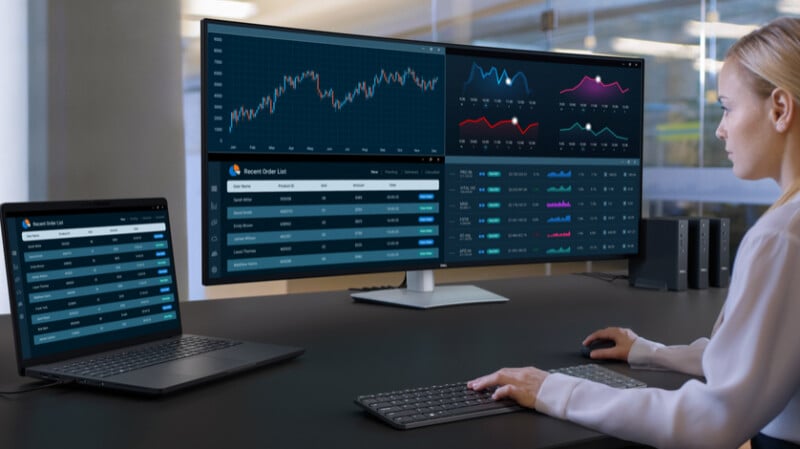
One of the most interesting aspects of the UltraSharp 52 is that it doesn’t behave like a single stretched desktop. Using picture-by-picture combined with internal multi-stream transport, the display can present itself as multiple independent screens within one physical panel. Each section maintains proper scaling and window behavior, rather than feeling like a chopped-up portion of a larger display.
In practice, this allows different computers or workflows to occupy distinct areas of the screen simultaneously. A laptop, a desktop workstation, and an auxiliary system can all coexist without external splitters or software tricks, and without the visual interruption of bezels between panels.
The result is closer to working with multiple monitors than with a single massive display, with cleaner ergonomics and far fewer compromises. It’s a subtle distinction on paper, but one that becomes meaningful once the screen is used as a shared surface rather than a single workspace.
Connectivity That Reframes the Desk Setup
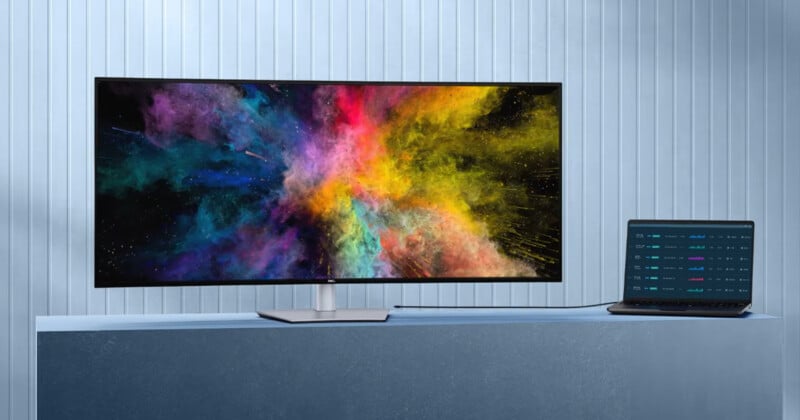
Once the UltraSharp 52 is viewed as more than just a display, its connectivity starts to make sense. A single Thunderbolt 4 cable can power the monitor and deliver up to 140 watts to a connected laptop, allowing a single cable to handle video, data, and charging at once.
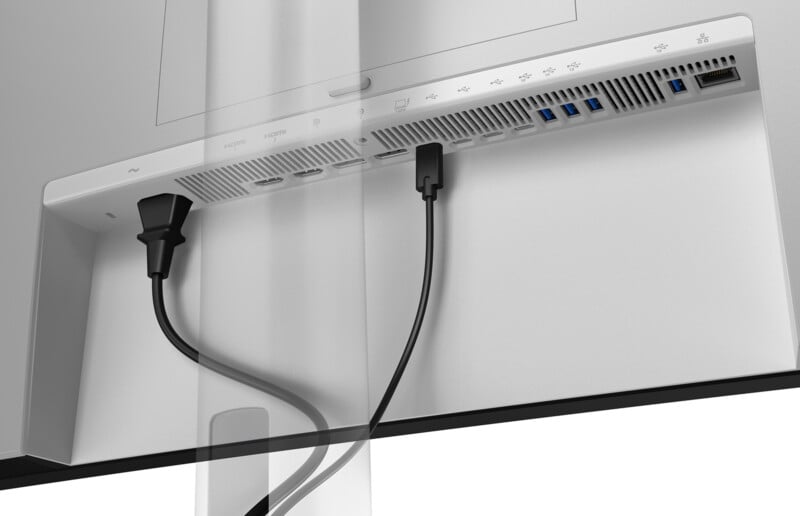
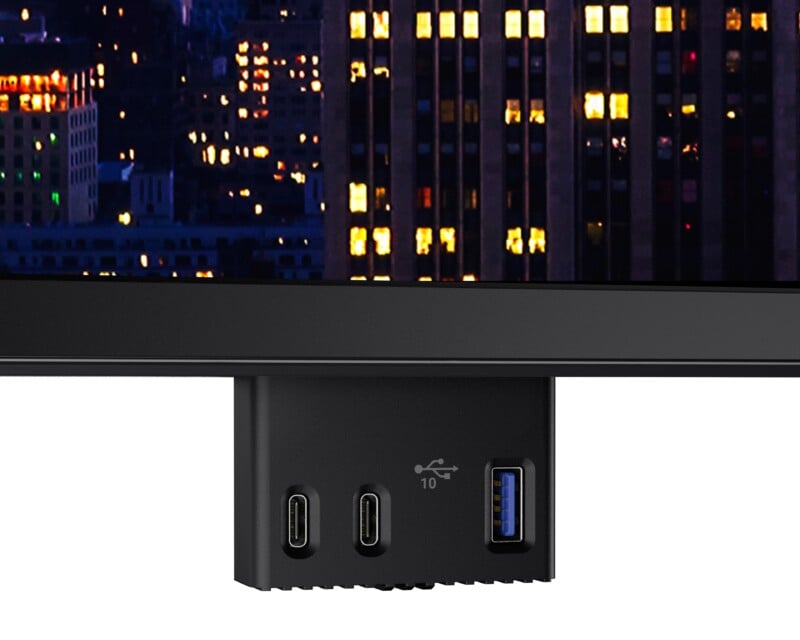
Peripheral connections are anchored at the monitor itself, including USB-A and USB-C ports, Ethernet, and multiple video inputs. The display effectively becomes the desk’s hub, reducing cable clutter and making it easier to switch between systems without rewiring the entire workspace.
For users moving between multiple machines, the built-in KVM functionality allows a single keyboard and mouse to be shared across connected systems. Switching focus becomes a software action rather than a physical one, reinforcing the idea that the monitor is the center of the setup rather than just another endpoint.
Contrast, Color, and Surface Treatment
Beyond window management, the UltraSharp 52 holds up well for visual work thanks to its IPS Black panel technology. With a contrast ratio around 2000:1, blacks remain noticeably deeper than on standard IPS panels, which helps prevent the washed-out look that can become apparent on very wide displays.
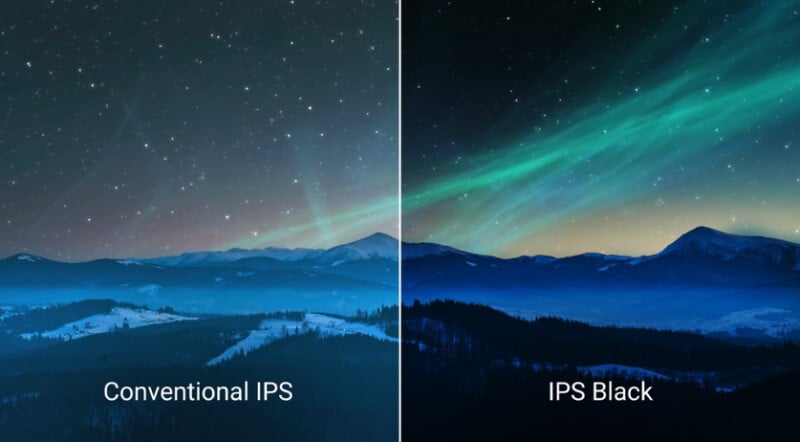
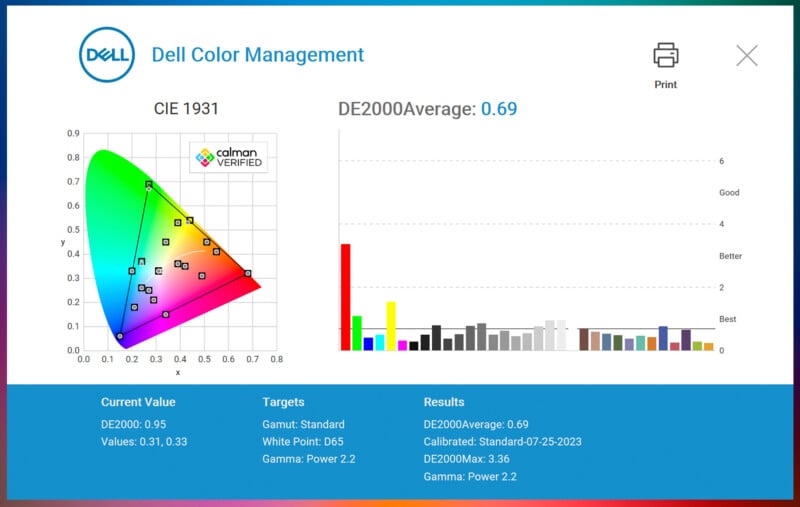
Color coverage is broad enough for most professional workflows, offering 99 percent DCI-P3 and Display P3, along with strong sRGB and BT.709 support. Dell’s quoted color accuracy, with a Delta E below 1.5, places the panel firmly in the realm of predictable, consistent color rather than exaggerated vibrancy.
This is not positioned as a reference display for final color grading or mastering, but it works very well for editing, review, design, and general visual work across a large continuous workspace. The low-reflectance surface coating also helps manage glare, an important consideration on a display of this size, especially in brighter rooms.
Scale, Comfort, and Long Sessions
At 52 inches with a native resolution of 6144 × 2560 and refresh rates up to 120Hz, the UltraSharp 52 balances size with usability. Pixel density is around 129 pixels per inch, keeping text and interface elements sharp without forcing aggressive scaling at typical viewing distances.
Dell has also leaned into features designed for long working sessions. An ambient light sensor automatically adjusts brightness based on room conditions, and the display meets a high-tier hardware-based low blue light certification without relying on heavy color shifts.
These features are easy to overlook on a spec sheet, but they matter when a display becomes the primary workspace for hours at a time. On a screen this large, comfort features quickly shift from “nice to have” to essential.
Built for Multitasking, Not Minimalism
The UltraSharp 52 is not subtle in its ambitions. It supports up to four connected systems on a single panel, handles multi-stream inputs internally, and provides enough bandwidth and power to anchor an entire workstation around one screen.
Its size and weight make it clear this is not a casual upgrade; it demands a desk and a workflow capable of taking advantage of it. But for users who live inside dense, multi-window environments, the trade-off is a cleaner, more cohesive workspace with fewer physical interruptions. It sits firmly in the premium category, both in cost and in physical presence, and it is clearly aimed at professionals who can justify its scale through productivity rather than novelty.
Rather than asking users to adapt their workflow to the monitor, the UltraSharp 52 attempts to adapt the monitor to the workflow, a distinction that sets it apart from many oversized displays.
Price and Availability
The Dell UltraSharp 52 Thunderbolt Hub Monitor is available now and priced at $2,899.
Image credits: Dell







 English (US) ·