.png)
 2 days ago
4
2 days ago
4
When Apple announced Creator Studio, it made sure to almost immediately highlight its selling points: low cost of entry, easy to use, wide breadth of capabilities, and cohesion among apps. Combine that with the education discount, and it’s clear Apple is targeting up-and-coming artists.
It’s not a new strategy for Apple. Growing up, computer labs all over my home town were filled with Macintosh computers, not PCs. This isn’t a return to a tried-and-true model, just a reinvestment in it, and speaking to Brent Chiu-Watson, Apple’s senior director of Worldwide Product Marketing for Apps, and Bryan O’Neil Hughes, Apps product marketing, this isn’t a hidden strategy.
“At Apple, serving the community of creators that’s out there has always been an inspiration for us and from the very beginning we’ve worked to give them powerful tools to bring ideas to life,” Chiu-Watson tells me. “We really intend to continue to live at the center point between technology and the liberal arts. And frankly, for us, it’s a ton of fun to be able to do this sort of thing.”
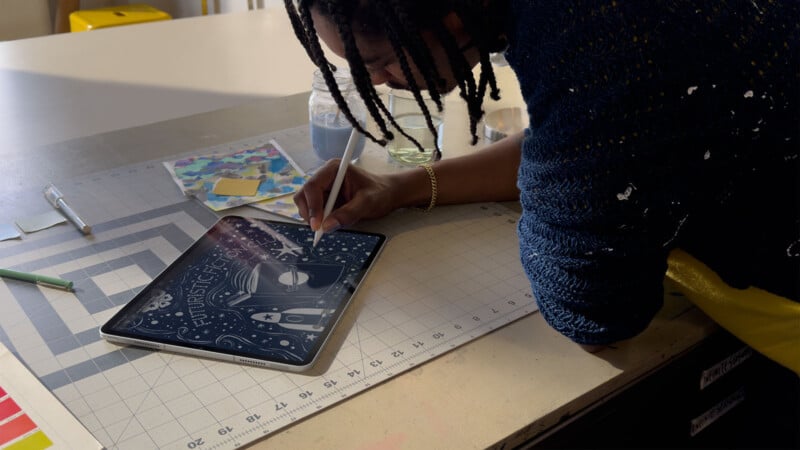
Apple’s goal is to provide a set of applications that work with its computers and allow an artist — really, any artist — to immediately have access to the tools they need to succeed in 2026. To Apple, that means not just video, or photo, or audio — it’s all of them, at the same time.
“One of the insights that’s driven us to this moment and this announcement we made today is we’ve been watching how creators have become more multidisciplinary almost by necessity,” Chiu-Watson continues.
“Sure, some people don’t necessarily make that choice, but for most, it’s not enough to just do one discipline anymore. If you’re a musician, you’re extending beyond just producing your own tracks into designing album artwork, editing, music videos, creating promotional material, all that sort of thing. And what we see is that multidisciplinary creators rely on and really want a comprehensive tool set that serves their needs.”
“A core benefit of Apple Creator Studio is that these apps work together in ways that mirror the creative process itself,” Hughes adds. “We believe technology should enable ideas to flow freely wherever you are enabling you to use the Apple product or feature that suits the moment and the apps compliment each other and play their strengths, delivering a total creative experience that we believe is greater than the sum of its parts.”
To that end, Hughes says, some features work across apps to deliver consistent experiences. For example, using Super Resolution and Auto Crop in Pixelmator works the same as it does in the new Keynote. Pixelmator has consistent experience from iPad to Mac, too, and files can freely be opened and edited back and forth on both platforms. The same can be said of Logic Pro. The one exception remains Final Cut Pro, which can only go one-way: from iPad to Mac.
Apple says that the way they expect creators to use Final Cut Pro on iPad is as a starting point, with finishing done on Mac.
“The current workflows are focused on in giving this element of mobility on the iPads. So you can pull something together, for example, with Montage Maker while you’re in the cab on the way home, whatever it is, and then graduate to Final Cut on Mac when you want to continue to do more, assuming you do work across both platforms,” Chiu-Watson explains.

Unlike Adobe, which quickly stopped supporting standalone versions of its apps as soon as it introduced the subscription-based Creative Cloud, Apple intends to keep the option to buy software outright and own it. Beyond that, the company says its plan is to continue to update those apps down the road in tandem with subscription customers.
“Bottom line is these apps, both [the subscription and standalone versions of these] apps are going to continue to get updates. We think it’s important that people have this choice of how you want to purchase software. I highlighted this notion of a student: if a student is making a choice [on software], for $2.99, it’s really easy to jump in and get started.”
There is a lot of general animosity toward subscriptions, but the fact of the matter is that, in addition to being recurring revenue, subscriptions allow Apple to reach more people because it can keep the price low.
“The bottom line is a subscription makes this more accessible. If you want to start with a single project, you don’t know how frequently you’re going to be engaging in these applications,” Chiu-Watson says, pointing to the $12.99 per month price. “So that accessibility is a huge value prop here and even more so obviously for students. The other aspect, and this was a key part of our decision, is we wanted to ensure that this was a whole suite in one bundle. Give them everything they need in one decision at one price point.”
Part of what separates the subscription service from the standalone apps is support for intelligent features — those which need access to AI servers to operate. Not every creator is going to want them, which means there is going to be this choice, and for those who do want to leverage them, Apple doubled down on its commitment not to replace the artist with AI.
“The intelligence features in Apple Creator Studio are designed with a comprehensive approach and a really clear philosophy. They should amplify, not replace human artistry and creativity,” Hughes says.
“We take it seriously that your artwork is your artwork. This really reflects our ongoing commitment to empowering creators and what’s driven us for so long. We think it’s really important for how they push us to innovate and inspire us to keep doing the work that we do.”
Apple firmly believes it has created a suite of apps and is delivering them at a price that will be the most compelling option for burgeoning artists.
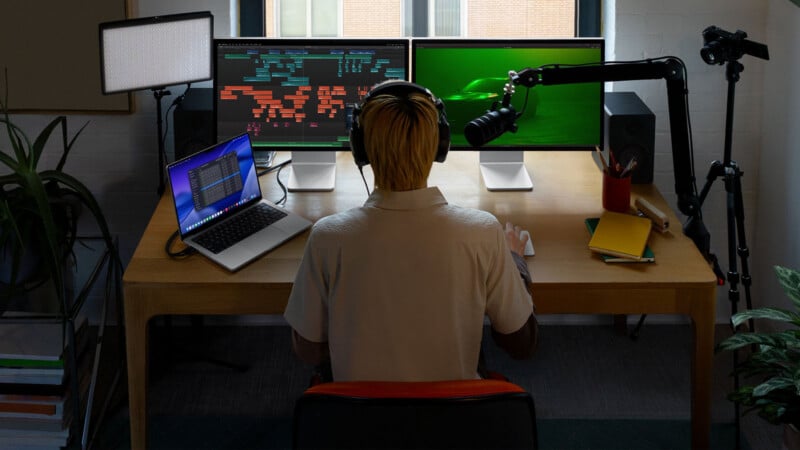
“We put this in market at a really compelling price point of $12.99 a month, $129 a year, so that this can be an easy decision for people who want to jump in, get started with one discipline, learn another discipline, or if they already are working across different mediums, they can jump in and do what’s right for them,” Hughes says.
“For students and educators, being $2.99 a month or $29.99 a year is extremely compelling. We think it’s really important to empower those people. So this is just the beginning. We’re going to be continuing to focus on and learn from this community and we can’t wait to see what people do with these capabilities.”
Last year, Canva elbowed its way into the conversation by combining all of Serif Affinity’s apps into one app and giving it away for free, minus some AI-based features that require a $120 per year Canva subscription. It was a runaway success.
This week, Apple introduced its own suite of apps that land close to that asking price at $129 a year. Now Adobe, which used to sit alone at the top of the creative software castle, faces assault on two fronts and for the first time in my professional career, there might actually be competition — real, honest competition — in the world of creative software.
That is only ever to the benefit of users.
Image credits: Apple






 English (US) ·