.png)
 1 day ago
8
1 day ago
8
There’s a lot of talk about the Hasselblad XPan, usually centered around the price and the mystique behind that panoramic format. The camera has earned its reputation, and the images it produces have a distinct character. But when you look closely at what makes XPan photographs stand out, it becomes clear that the look is not locked behind a rare film camera. The biggest element of the XPan aesthetic is the aspect ratio. However, it is something that any digital camera can replicate with careful planning in the field and some straightforward work in post. I set myself an experiment.
What the XPan Actually Does
The original XPan shoots a 65:24 aspect ratio, which is noticeably wider than most digital panoramic crops. It uses a 35mm film frame but exposes it horizontally across the full width of the film. That gives a native panoramic negative without stitching and without the distortion that comes with extreme wide angle lenses.
Many people assume the “XPan look” comes from a special lens or a specific film stock, but the biggest visual signature is simply the long, narrow frame. That framing forces different decisions about composition, balance, subject placement, and negative space. Those decisions can be made with any modern digital camera.
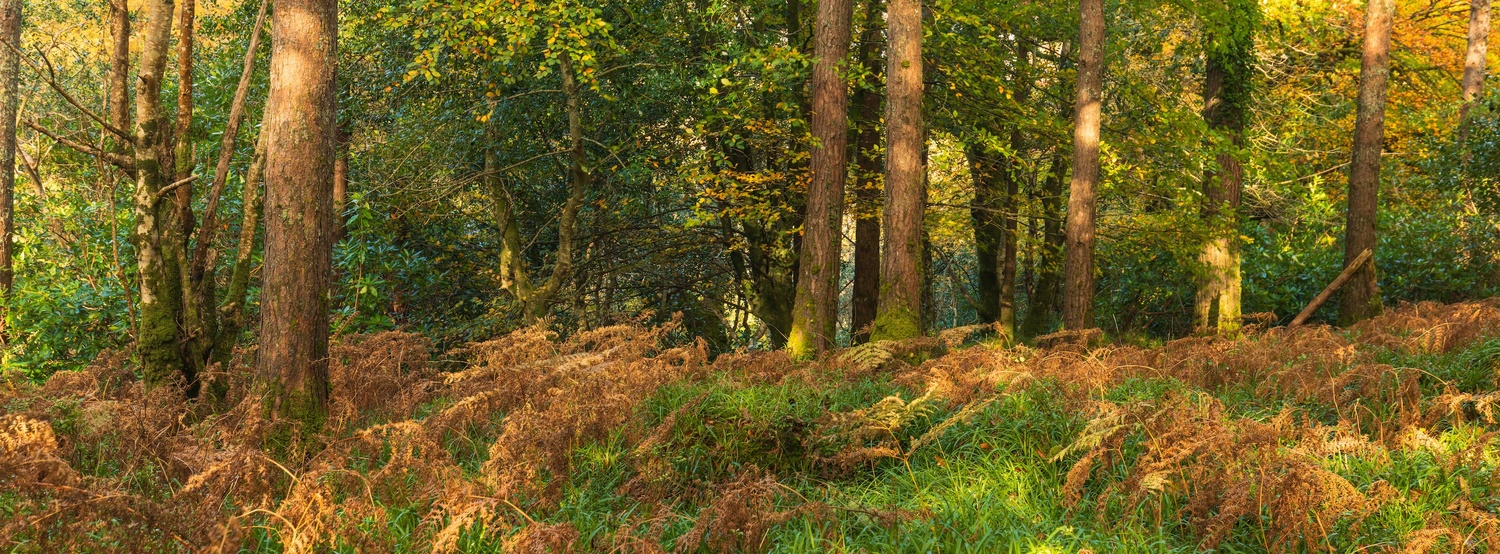
How to Create XPan-Style Images With Any Camera
The biggest challenge when doing this digitally is that most cameras can’t natively preview a 65:24 crop. So you have to think in a wider frame while still looking through a standard 3:2 or 16:9 viewfinder. It takes a bit of practice, but it becomes second nature.
Here’s the approach that I took:
1. Frame for Width, Not Height
In the field, treat the top and bottom of your frame as disposable space. The key subjects should sit comfortably across the center third of the composition. When shooting with the Canon EOS R and the Canon EF 16–35mm f/4L IS USM, I usually place the anchor of the scene roughly one third up from the bottom, knowing that I’ll be trimming a heavy amount from both the top and bottom later.
2. Keep Your Horizon Deliberate
Cropping down to XPan removes a lot of vertical information. Anything even slightly off at the capture stage becomes very noticeable after the crop. Leveling carefully is important here. Digital cameras give reliable horizon indicators, and using those helps keep the crop clean.
3. Shoot a Bit Wider Than You Think
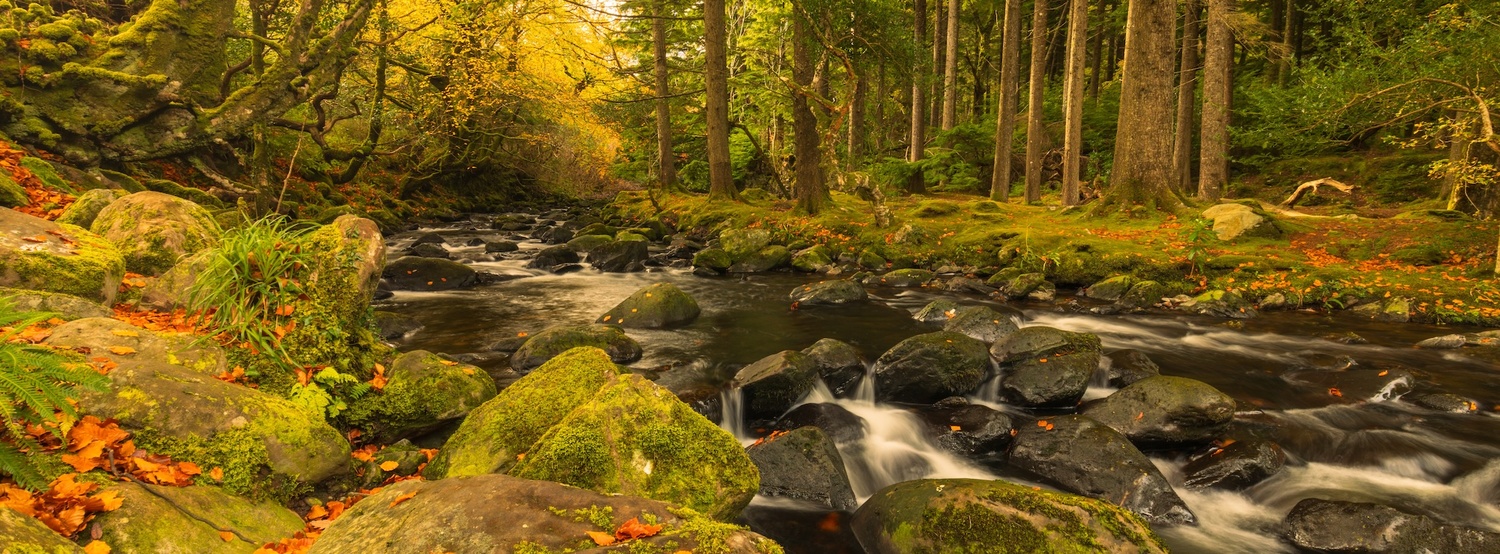
XPan’s native field of view roughly matches a 24mm lens on full frame. When shooting digitally, going a little wider gives room to adjust the crop without losing important edges. For example, shooting a waterfall scene at 16mm on the EOS R gives enough room to straighten the frame and still end up with a convincing panoramic slice.
4. Use Slower Shutter Speeds for Static Subjects
XPan film images often have a calm, balanced look. Shooting digitally, using slower shutter speeds pushes the look in the same direction. For waterfalls, exposures between 1/4 s and 1 s work well. For woodland scenes, a shutter around 1/20 s to 1/30 s keeps detail without adding motion blur.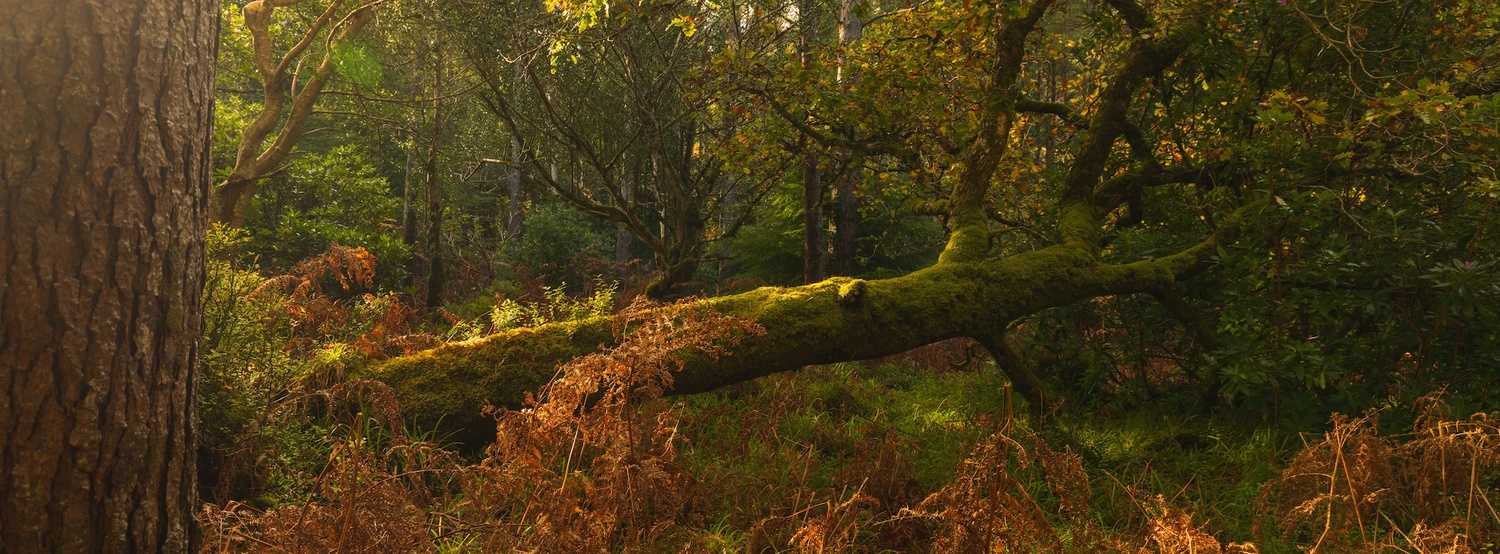
Doing the XPan Crop in Post
Once you start editing, the process is simple. The goal is a 65:24 crop. Many editors don’t have this exact ratio as a preset, but you can create one manually:
- In Lightroom: Custom Crop → 65 × 24
- In Photoshop: Set the crop tool to 65:24
- In Capture One: Custom ratio 65:24
The moment you apply it, the frame changes completely. The scene stretches horizontally, and the composition often becomes stronger. Lines run longer. Empty areas feel more intentional. This is the heart of the XPan style.
Color grading is the next step. XPan film has a particular tonal roll-off, but you don’t have to emulate it exactly. A simple, restrained grade works well: gentle contrast, controlled highlights, and clean shadows. The most important part is letting the frame do the work.
Why You Don’t Need the XPan Camera
It’s easy to be drawn into the idea that you need the original tool to achieve the original result. But when you strip away the nostalgia and look at the format itself, the XPan aesthetic becomes accessible. The composition is what matters most, not the camera.
The Hasselblad lenses do render in a distinctive way, particularly the 45mm, but what stands out in almost every XPan photograph is the shape of the image. That shape can be created with any digital system, whether you shoot mirrorless, DSLR, or even a compact camera with manual control.
A Practical Example From the Field
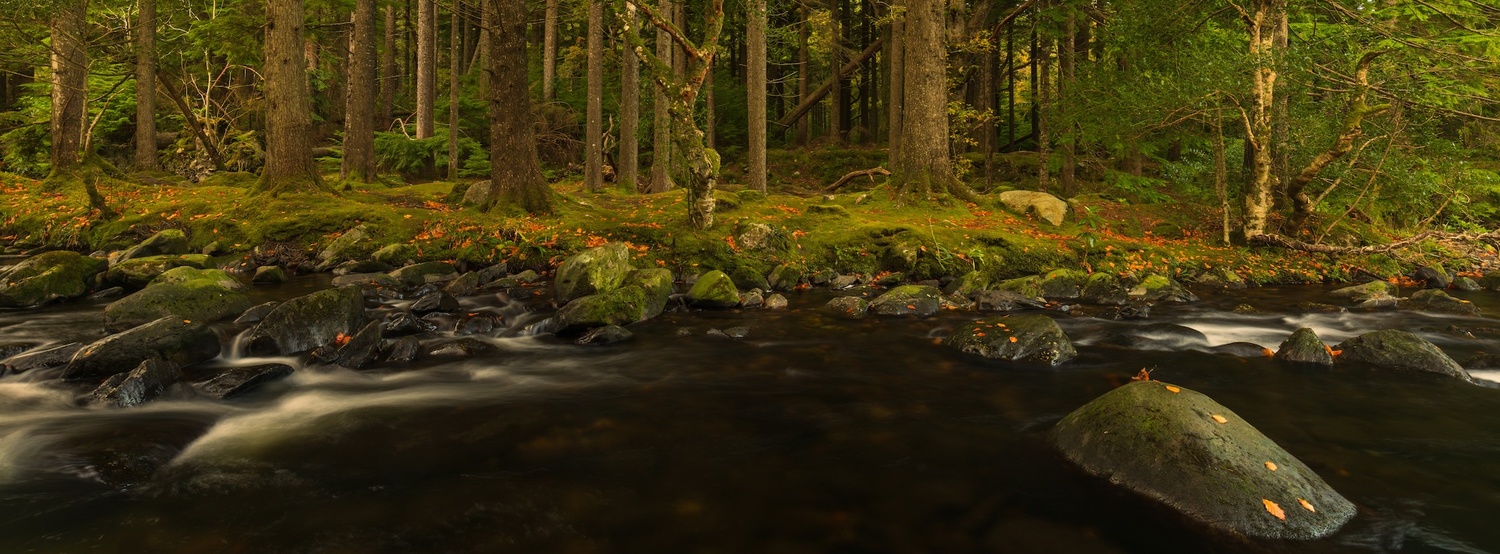
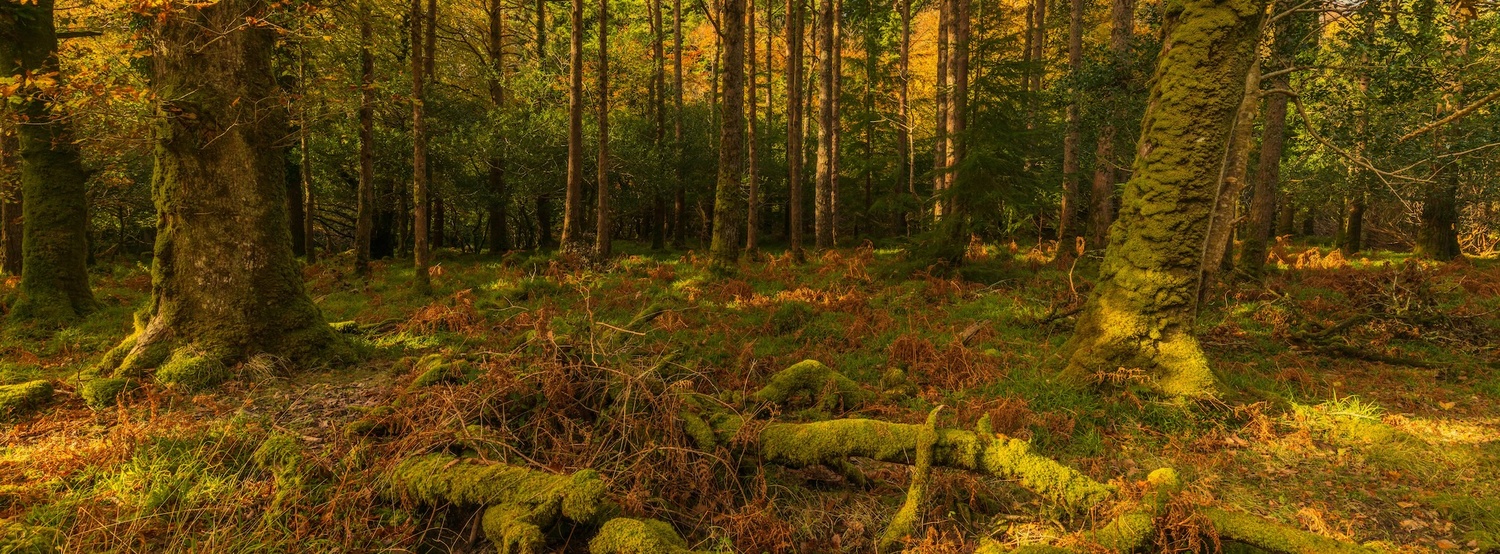
During a recent shoot in Killarney, I didn’t go out with the intention of creating panoramic work. I was moving through the woods after spending time photographing one of the waterfalls. While checking the back of the camera, the thought of trying an XPan-style crop hit me. I hadn’t planned for it, but the setting—long lines of trees, soft light running sideways through the branches—suited the format immediately.
I switched to the 16–35mm, shot a little wider than usual, and kept the important details across the central band of the frame. The camera didn’t show me the final crop, so I had to imagine the top and bottom being removed. Once I got home and applied the 65:24 crop in post, the scene tightened up in a way that made sense instantly. The narrow frame emphasized the depth of the path, the spacing of the trees, and the movement of the mist at ground level.
I concluded that the XPan look isn’t tied to a particular piece of equipment. It’s tied to awareness of what the frame will eventually become.
Digital Flexibility Is an Advantage
The XPan’s panoramic aspect ratio is fixed at 65:24. With digital tools, you have complete control: you can crop to 65:24, 2.35:1, 3:1, or anything in between. You can align the frame with your subject, change your mind later, or refine the crop down to the pixel.
You also have the benefit of:
- instant histogram feedback
- precise level indicators
- bracketing
- ISO flexibility
- stabilization when using lenses like the Canon EF 16–35mm f/4L IS USM
These tools give digital shooters a more forgiving workflow while still letting them achieve the same aesthetic outcome.
The XPan Look Is About Intent
The format doesn’t fix a weak composition, of course, but it enhances a strong one. It makes you think differently. It pushes you to consider flow across the frame, not just balance from top to bottom. It highlights leading lines, shapes, repetition, and spacing.
You don’t need an XPan to think that way. You only need to approach your scene with the panoramic crop in mind and allow the frame to guide your decisions.
Finally
Whether you shoot film or digital, the XPan look is accessible. The original camera is a beautiful piece of engineering, but the aesthetic isn’t exclusive to it. It is also available on Fujifilm cameras. With awareness in the field and a consistent approach in post, any photographer can achieve the same result. The important part is recognizing how the crop changes the story of the image and using that deliberately. You will lose pixels, which might affect your image quality overall if you don’t have the detail in your sensor, but most modern cameras now have the spare detail that it won’t affect your result unless, of course, you are planning on using the image to cover a large area in print.
If you enjoy experimenting with composition, this is one of the most rewarding exercises to try. It sharpens your eye, simplifies your decisions, and gives familiar locations a new perspective.
Do you agree? Have you done this before, or perhaps you have a Hasselblad/Fujifilm and do it natively?
Let's continue the conversation in the comments below






 English (US) ·